Cart 0

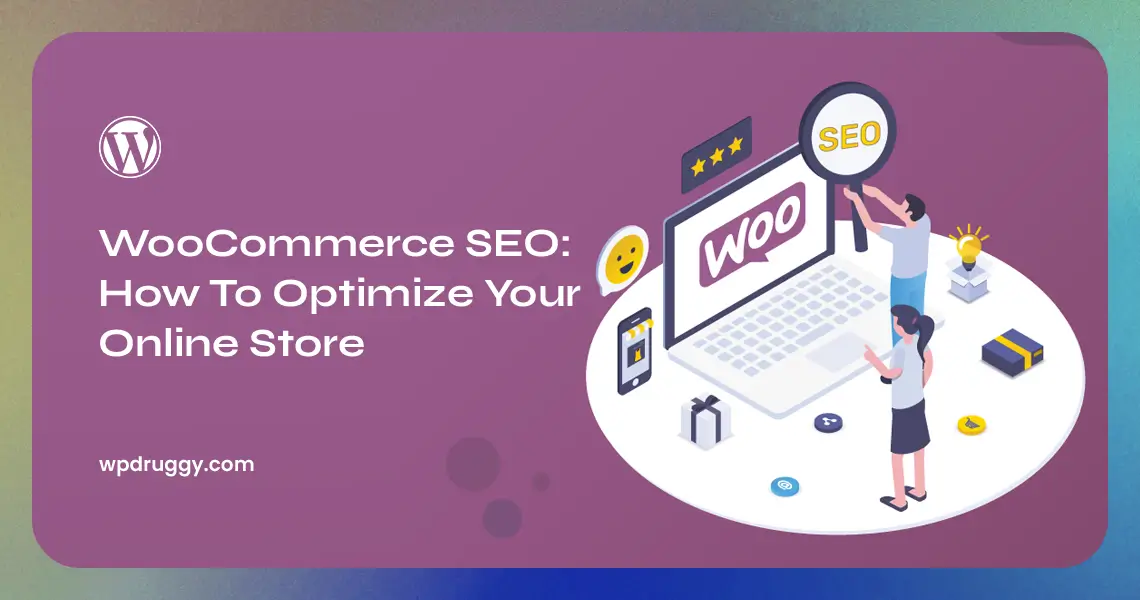

In the bustling world of e-commerce, where thousands of online stores are vying for the attention of potential customers, having a well-optimized website is crucial. WooCommerce, a popular e-commerce platform, empowers countless entrepreneurs to create their online stores. However, having a WooCommerce store is just the first step. To truly succeed in the online marketplace, you need to understand and implement effective SEO strategies.
What is WooCommerce?
WooCommerce is a plugin for WordPress, a popular platform for creating websites. It’s specifically designed to help people set up and manage online stores. WooCommerce provides a user-friendly way to list and sell products, but without proper SEO, your online store may not get the attention it deserves.
Understanding SEO
Before we dive into WooCommerce SEO, let’s understand what SEO is all about. SEO is like a magic wand that makes your website more visible to search engines like Google. When someone searches for a product you sell, SEO helps your online store appear in the search results.
Think of it as a library. When you search for a book, the librarian helps you find it by organizing the books in a particular way. SEO is like organizing your online store, making it easier for people to find what they’re looking for.
Understanding WooCommerce
Before diving into SEO, let’s familiarize ourselves with WooCommerce. It is a WordPress plugin that enables you to transform your website into a feature-rich online store. It provides all the necessary tools to display, market, and sell products effectively. If you’re considering setting up an online store, WooCommerce is a reliable choice.
The Importance of SEO for Your Online Store
SEO, or Search Engine Optimization, is the process of enhancing your website’s visibility on search engines like Google. When done correctly, SEO can significantly increase organic traffic to your online store. This translates to more potential customers and, ultimately, higher sales.
Keyword Research for WooCommerce SEO
Keywords are the foundation of SEO. To optimize your WooCommerce store, you must identify and target the right keywords. Start by thinking about the terms potential customers might use to find your products. Tools like Google Keyword Planner can help you discover relevant keywords with high search volumes.
On-Page SEO Optimization
1. Title and Meta Descriptions
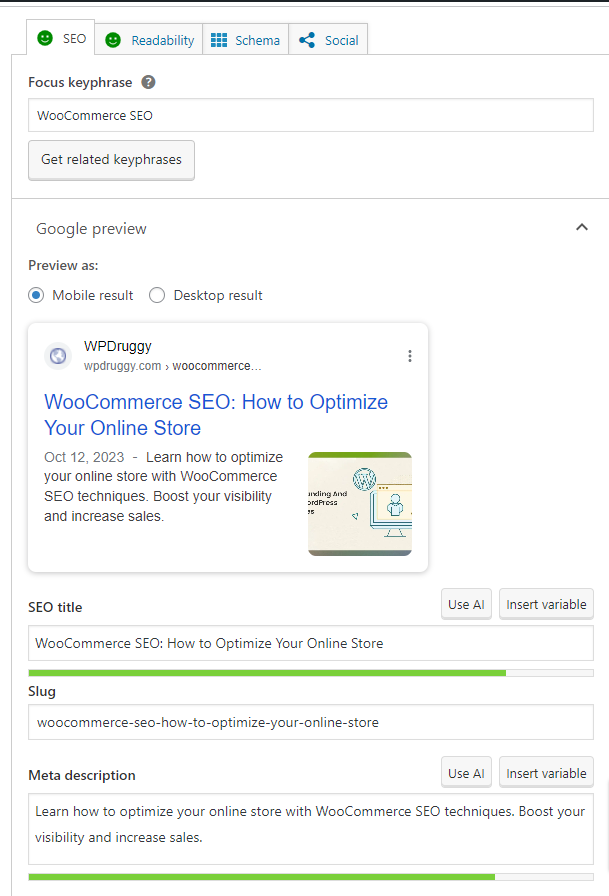
The titles and meta descriptions of your product pages play a crucial role in SEO. Ensure they are concise, descriptive, and contain the focus keyword – in this case, “WooCommerce SEO.”
2. Product Descriptions
Craft unique, engaging product descriptions that not only inform but also persuade potential buyers. Make sure to include the focus keyword naturally.
3. URL Structure
Optimize your URLs to be user-friendly and include the focus keyword. Short, descriptive URLs are preferred by search engines.
4. Image Optimization
Images are essential for e-commerce. Optimize your product images by using descriptive file names and alt tags containing relevant keywords.
5. User Experience and Site Speed
A smooth and fast website enhances the user experience and positively influences SEO. Ensure your WooCommerce store is mobile-responsive and loads quickly.
Off-Page SEO Strategies
1. Backlink Building
Receiving high-quality backlinks from credible websites can help your SEO. Focus on creating valuable content that other websites want to link to.
2. Social Media Engagement
Maintain an active presence on social media platforms. Sharing your products and engaging with your audience can indirectly impact SEO.
3. Influencer Marketing
Collaborating with influencers in your niche can expand your reach and introduce your store to a larger audience.
Technical SEO for WooCommerce
1. Mobile Responsiveness
With the rise of mobile users, a mobile-responsive website is not just a recommendation; it’s a requirement for SEO success.
2. Structured Data Markup
Implement structured data to provide search engines with more information about your products, leading to rich search results.
3. XML Sitemap
Create an XML sitemap to help search engines index your site more efficiently.
4. SSL Certification
Ensure your store has an SSL certificate to establish trust and security with your customers.
5. Site Security
Regularly update and secure your website to protect it from potential threats.
Content Marketing and Blogging
Creating valuable blog content related to your products can attract potential customers and enhance your SEO. Educate your audience, answer their questions, and establish your expertise.
Local SEO for WooCommerce
If your online store has a physical location, local SEO is essential. Claim your Google My Business listing and ensure all contact information is accurate.
Monitoring and Analytics
Use tools like Google Search Console to track your website’s performance. Analyze user behavior, traffic sources, and conversion rates to make data-driven decisions.
Common SEO Mistakes to Avoid
While optimizing your WooCommerce store for SEO, be mindful of common mistakes such as keyword stuffing, ignoring mobile optimization, and neglecting site security.
Read More Blogs
- Understanding and Using WordPress User Roles
- Deep Dive WordPress Taxonomies
- Use WordPress for Sports Teams and Leagues
- How to Add Custom Fonts to Your WordPress Site
- Making WordPress Custom Templates
- Understand WordPress File and Directory Structure
- How to Use WordPress for Sports Teams and Leagues
- WordPress Trackbacks and Pingback
The Bottom Line
In conclusion, optimizing your WooCommerce online store for SEO is a critical step in ensuring the success and visibility of your e-commerce business. With the ever-increasing competition in the digital marketplace, effective SEO strategies can make a substantial difference in attracting and retaining customers.
Ultimately, a well-optimized WooCommerce online store can increase your online visibility, drive organic traffic, and contribute to the long-term success of your e-commerce business. So, get started with these SEO tips, keep learning, and watch your store rise through the ranks in search engine results, attracting more customers and generating higher revenue.
FAQs
What is WooCommerce SEO?
WooCommerce SEO refers to the practice of optimizing your online store built on the WooCommerce platform to improve its visibility and rankings in search engine results. It involves various techniques and strategies to enhance the store’s organic traffic and attract more potential customers.
What are the key elements of WooCommerce SEO?
Key elements of WooCommerce SEO include optimizing product descriptions and titles, improving site speed and responsiveness, ensuring mobile-friendliness, using relevant keywords, creating unique and compelling content, utilizing meta tags and descriptions, setting up user-friendly URLs, implementing a robust internal linking structure, and building high-quality backlinks.
How can I optimize product descriptions for WooCommerce SEO?
To optimize product descriptions for WooCommerce SEO, focus on writing unique and compelling descriptions that accurately depict your products. Incorporate relevant keywords naturally and provide detailed information about your product’s features, benefits, and uses. Additionally, make sure to avoid duplicate content and encourage user-generated reviews to boost credibility.
How can I improve the speed and responsiveness of my WooCommerce store?
To improve the speed and responsiveness of your WooCommerce store, consider using a reliable hosting provider, compressing and resizing images, caching your website, minimizing the use of external scripts and plugins, and optimizing your code. Regularly monitoring and optimizing your website’s performance can also help enhance the overall user experience.
How can I optimize my WooCommerce store for local SEO?
To optimize your WooCommerce store for local SEO, ensure that your business’s name, address, and phone number are accurate and consistent across your website and online directories. Create location-specific landing pages, use local keywords, and encourage customers to leave reviews. Additionally, list your business on Google My Business and other relevant directory listings.