
Cart 0


Introduction
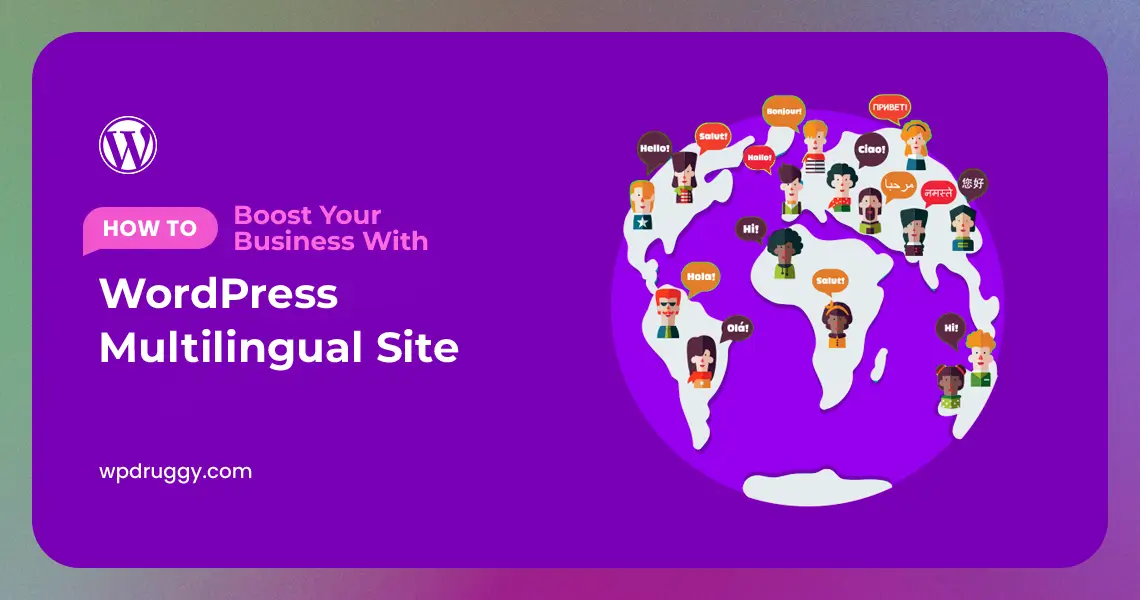
In today’s globalized world, businesses are no longer limited by geographical boundaries. To reach a broader audience and expand your market reach, having a multilingual website is essential. WordPress, as one of the most popular content management systems, offers a variety of solutions for creating multilingual sites. In this comprehensive guide, we will explore the benefits of having a multilingual website, the various methods to achieve multilingual functionality in WordPress, and best practices for creating a successful and engaging multilingual experience for your visitors.
1. The Power of a Multilingual Website
A multilingual website opens up new opportunities for your business by breaking language barriers and catering to diverse audiences worldwide.
1.1. Expanding Your Reach
By offering content in multiple languages, you can reach potential customers from different countries and cultures. A multilingual site allows you to connect with a broader audience and tap into new markets.
1.2. Increasing User Engagement
People are more likely to engage with content in their native language. A multilingual website can improve user engagement, leading to longer visit durations, lower bounce rates, and higher conversion rates.
1.3. Building Trust and Credibility
A well-executed multilingual site demonstrates that your business is attentive to the needs of international users. This builds trust and credibility with your global audience.
1.4. Gaining a Competitive Advantage
In many industries, having a multilingual website sets you apart from competitors who may only offer content in one language. It gives you a competitive edge and strengthens your position in the global market.
2. Methods for Creating a Multilingual WordPress Site
WordPress offers several methods to create a multilingual website. Let’s explore the most common approaches:
2.1. Using Multilingual Plugins
Multilingual plugins are a popular choice for creating multilingual websites in WordPress. Plugins like WPML (WordPress Multilingual) and Polylang provide comprehensive features to manage translations and language switching.
2.2. Creating Separate Sites for Each Language
Another approach is to create separate WordPress installations for each language and link them together. This method allows for complete customization for each language, but it requires more maintenance.
2.3. Using Translation Services
If you have a small website or limited resources, you can use translation services to manually translate your content. Some plugins, like Google Language Translator, automatically translate content using machine translation.
3. Implementing a Multilingual Plugin
Using a multilingual plugin is a popular and efficient way to create a multilingual WordPress site. Let’s walk through the process of implementing a plugin like WPML:
3.1. Install and Activate the Plugin
First, download and install the WPML plugin from the WordPress repository. After activating the plugin, you will be guided through the setup process.
3.2. Choose the Languages
Select the languages you want to support on your website. WPML supports a wide range of languages, and you can add or remove languages as needed.
3.3. Translate Content
With the plugin set up, you can start translating your content. WPML provides a Translation Management Dashboard where you can manage translations, either by translating content manually or by using professional translation services.
3.4. Create Language Switcher
To allow users to switch between languages, create a language switcher using WPML’s language switcher widget or shortcode. Place the switcher in your website’s header or footer to make it easily accessible.
4. Best Practices for Multilingual Website Design
Designing a multilingual website requires careful consideration of user experience and cultural sensitivities. Here are some best practices to ensure a successful multilingual website:
4.1. Use Icon Flags Sparingly
While flag icons are commonly used to represent languages, they can be misleading. Instead, use language names or language codes in your language switcher to avoid confusion.
4.2. Consider Cultural Differences
Be mindful of cultural differences when creating content for different audiences. Phrases, images, and colors can have different meanings and connotations in different cultures.
4.3. Ensure Consistent Formatting
Maintain consistent formatting across all language versions of your website. This includes font styles, alignment, and spacing.
4.4. Test Language Switching
Test the language switcher thoroughly to ensure that all translated content displays correctly and that the switcher itself functions smoothly.
4.5. Optimize for SEO
Each language version of your website should be optimized for SEO. This includes using hreflang tags to indicate language and regional targeting to search engines.
5. Content Translation and Localization
Translating content for a multilingual website goes beyond word-for-word translation. Localization involves adapting content to suit the language, culture, and preferences of the target audience.
5.1. Professional Translation Services
Consider using professional translation services or hiring native-speaking translators to ensure accurate and culturally appropriate translations.
5.2. Content Localization
Localization involves adapting content to the target audience’s cultural norms and preferences. This includes currency, date formats, units of measurement, and other region-specific elements.
5.3. User-Generated Content
If your website allows user-generated content, encourage users to submit content in different languages. You can also consider using translation plugins to translate user-generated content automatically.
6. Multilingual SEO Considerations
Multilingual SEO is crucial for ensuring that your website ranks well in search engines for different languages. Consider the following SEO considerations:
6.1. hreflang Tags
Use hreflang tags to indicate the language and regional targeting of each page to search engines. This helps search engines serve the correct language version of your content to users in different regions.
6.2. Separate URLs or Subdirectories
Decide whether you want to use separate URLs (e.g., domain.com/en/) or subdirectories (e.g., domain.com/en/) for different language versions. Choose a structure that aligns with your website’s content and target audience.
6.3. Language-Specific Keywords
Research and use language-specific keywords for each language version of your website. Avoid directly translating keywords, as search intent may differ across languages.
6.4. Backlinks and Internal Linking
Build backlinks and internal links for each language version of your website to improve its authority and visibility in search engine results.
7. Performance Optimization
A multilingual website can have an impact on website performance. Implement performance optimization strategies to ensure fast loading times for all users.
7.1. Caching
Use caching plugins to store static versions of your pages and serve them quickly to visitors, reducing server load and speeding up page load times.
7.2. Content Delivery Network (CDN)
A CDN distributes website content across multiple servers worldwide, reducing latency and ensuring faster delivery of content to users in different regions.
7.3. Image Optimization
Compress and optimize images to reduce their file size without compromising quality. This helps improve page load times, especially for users on slower internet connections.
8. Ensuring Accessibility
Accessibility is crucial for ensuring that all users, regardless of language or ability, can access and navigate your website.
8.1. Language Support for Screen Readers
Ensure that your website’s language is specified in the HTML tag, as this helps screen readers announce the correct language to visually impaired users.
8.2. Text-to-Speech (TTS) Integration
Consider integrating a text-to-speech feature that allows users to listen to the content in their preferred language.
8.3. Contrast and Readability
Maintain sufficient contrast between text and background colors to improve readability for all users.
9. Continuous Maintenance and Testing
A multilingual website requires ongoing maintenance and testing to ensure that all language versions are up-to-date and functioning correctly.
9.1. Regular Content Updates
Regularly update content in all languages to keep it fresh and relevant. Outdated or inaccurate information can negatively impact user experience and SEO.
9.2. Testing and QA
Conduct regular testing and quality assurance checks to identify and fix any issues related to language switching, content formatting, or performance.
9.3. User Feedback
Encourage users to provide feedback on language-specific content and user experience. This feedback can help you make improvements and tailor the website to your audience’s needs.
Read This: How to Secure Your WordPress Site from Hackers
Conclusion
A multilingual website is a powerful tool for expanding your business and reaching a global audience. By using multilingual plugins, implementing best practices for website design and localization, optimizing for SEO and performance, ensuring accessibility, and conducting regular maintenance and testing, you can create a seamless and engaging multilingual experience for your visitors. Embrace the diversity of your audience and leverage the potential of a WordPress multilingual site to elevate your business to new heights.

