
Cart 0


Introduction
WordPress is a powerful and flexible Content Management System (CMS) that allows users to create and manage various types of content. While the default post types (such as posts and pages) cover most needs, there are instances where you might require additional customizations. This is where Custom Post Types and Taxonomies come into play. By leveraging these advanced WordPress features, you can extend the functionality of your website, organize content more efficiently, and create a tailored experience for your users. In this comprehensive guide, we will explore Custom Post Types and Taxonomies, their benefits, and step-by-step instructions on how to implement them in your WordPress site.
1. Understanding Custom Post Types
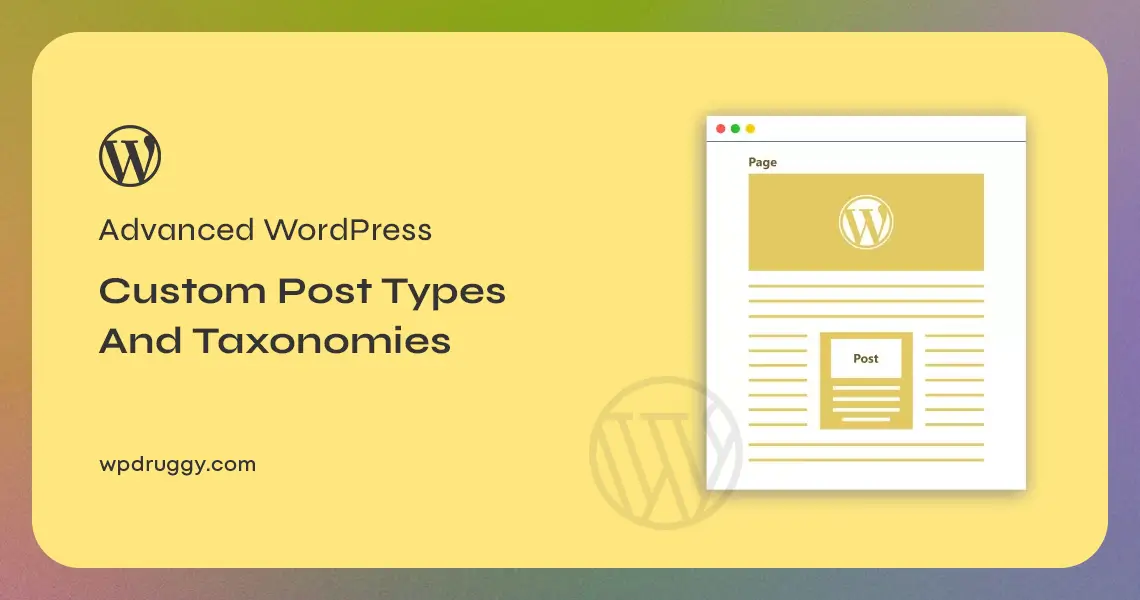
Custom Post Types are a way to define new content types beyond the default posts and pages in WordPress. They enable you to organize different types of content separately, providing a more structured approach to content management. For example, if you run a portfolio website, you could create a custom post type called “Projects” to showcase your work. Each “Project” entry would have its unique set of fields, allowing you to tailor the content editing experience for that specific content type.
2. Benefits of Custom Post Types
Implementing Custom Post Types in WordPress offers several advantages:
- Enhanced Organization: Custom Post Types allow you to categorize and organize content more effectively, reducing clutter and making it easier for administrators to manage the site.
- Better User Experience: By providing distinct content types, you can offer users a more personalized and targeted experience based on their interests and preferences.
- Improved Backend Management: Custom Post Types streamline the backend editing process by presenting the relevant fields and options for each content type, enhancing the user experience for content creators.
- SEO Benefits: Search engines can understand and index Custom Post Types separately, potentially improving your website’s visibility in search results.
3. Creating Custom Post Types
Creating Custom Post Types in WordPress typically involves adding code to your theme’s functions.php file or using a custom plugin. Here’s a step-by-step guide on how to create a custom post type:
3.1. Using Code Snippets
You can add custom post types to your WordPress site by adding code snippets to the functions.php file of your theme. Here’s an example of how to create a “Books” custom post type:
function custom_post_type_books() {
register_post_type(‘books’,
array(
‘labels’ => array(
‘name’ => __(‘Books’),
‘singular_name’ => __(‘Book’)
),
‘public’ => true,
‘has_archive’ => true,
‘rewrite’ => array(‘slug’ => ‘books’),
‘supports’ => array(‘title’, ‘editor’, ‘thumbnail’)
)
);
}
add_action(‘init’, ‘custom_post_type_books’);
In this example, the custom post type is registered with the name “books,” and it supports a title, editor, and thumbnail. You can add additional parameters to customize the behavior and appearance of the custom post type further.
3.2. Using Custom Post Type Plugins
If you prefer a more user-friendly approach, you can use custom post type plugins to create and manage custom post types without writing any code. Some popular plugins include “Custom Post Type UI” and “Toolset Types.” These plugins offer intuitive interfaces for defining custom post types, taxonomies, and custom fields.
4. Understanding Taxonomies
Taxonomies are a way to group and classify content in WordPress. By default, WordPress provides categories and tags as taxonomies for posts. However, you can create custom taxonomies to better organize other content types, such as Custom Post Types. For example, if you have a “Recipes” Custom Post Type, you might want to create a custom taxonomy called “Ingredients” to categorize recipes based on their ingredients.
5. Benefits of Custom Taxonomies
Implementing custom taxonomies in WordPress offers several benefits:
- Improved Content Organization: Custom taxonomies allow you to create hierarchical or non-hierarchical structures to classify content more efficiently.
- Enhanced User Navigation: Users can explore your content more easily by browsing through the custom taxonomy terms, leading to a better user experience.
- Better SEO: Using custom taxonomies can improve your website’s SEO by creating a more organized and navigable content structure for search engines to index.
6. Creating Custom Taxonomies
You can create custom taxonomies by adding code snippets to your theme’s functions.php file or using custom taxonomy plugins. Here’s an example of how to create a custom “Ingredients” taxonomy for the “Recipes” Custom Post Type:
php
function custom_taxonomy_ingredients() {
$labels = array(
‘name’ => __(‘Ingredients’),
‘singular_name’ => __(‘Ingredient’),
‘search_items’ => __(‘Search Ingredients’),
‘all_items’ => __(‘All Ingredients’),
‘edit_item’ => __(‘Edit Ingredient’),
‘update_item’ => __(‘Update Ingredient’),
‘add_new_item’ => __(‘Add New Ingredient’),
‘new_item_name’ => __(‘New Ingredient Name’),
‘menu_name’ => __(‘Ingredients’)
);
$args = array(
‘hierarchical’ => true,
‘labels’ => $labels,
‘show_ui’ => true,
‘show_admin_column’ => true,
‘query_var’ => true,
‘rewrite’ => array(‘slug’ => ‘ingredients’),
);
register_taxonomy(‘ingredients’, array(‘recipes’), $args);
}
add_action(‘init’, ‘custom_taxonomy_ingredients’);
In this example, the custom taxonomy is registered with the name “ingredients” and assigned to the “recipes” custom post type. You can customize the labels and parameters based on your requirements.
7. Displaying Custom Post Types and Taxonomies
Once you’ve created custom post types and taxonomies, you’ll want to display them on your website. You can do this in various ways, depending on your theme and design preferences. Here are some common methods:
7.1. Using Templates and Loops
If you’re familiar with WordPress templates and loops, you can create custom template files for your custom post types and taxonomies. For example, you can create a single-books.php file to style individual book entries and an archive-books.php file to display all books.
7.2. Using Shortcodes
Shortcodes allow you to embed custom post types and taxonomies within your post content. You can use plugins like “Shortcodes Ultimate” or “Custom Post Type UI Extended” to generate shortcodes for displaying custom post types and taxonomies.
7.3. Using Widgets
Some custom post type plugins offer widgets that you can use to display custom post types and taxonomies in your sidebar or footer. This is a simple way to add content to specific areas of your website without touching the code.
8. Best Practices for Custom Post Types and Taxonomies
When working with custom post types and taxonomies, keep these best practices in mind:
- Choose Descriptive Names: Use clear and descriptive names for your custom post types and taxonomies to make them easily recognizable and understandable.
- Plan Your Content Structure: Before creating custom post types and taxonomies, plan how you want to organize your content to ensure a logical and user-friendly structure.
- Use Hierarchical Taxonomies Wisely: Hierarchical taxonomies can create a nested structure, but avoid excessive nesting to prevent confusion.
- Keep Plugins and Themes Updated: Regularly update your custom post type plugins and themes to ensure compatibility with the latest WordPress versions and features.
- Test for Compatibility: Before implementing custom post types and taxonomies on a live site, test them in a staging environment to ensure they work as intended and do not cause conflicts.
Read this:
How to Fix the WordPress White Screen of Death
Exploring the WordPress Database: A Beginner’s Guide
Conclusion
Custom Post Types and Taxonomies are powerful tools that allow you to extend the functionality of your WordPress site, create a more organized content structure, and provide a tailored experience for your users. By implementing custom post types, you can manage different types of content efficiently, while custom taxonomies help categorize and classify your content more effectively. Whether you’re creating a portfolio website, an e-commerce store, or a complex information hub, leveraging Custom Post Types and Taxonomies empowers you to take your WordPress site to the next level of customization and usability. Remember to follow best practices and thoroughly test your customizations to ensure a seamless and optimal user experience on your WordPress site.

