
Cart 0



Have you always thought about what rel=”noopener” means in WordPress?
When you create a link that opens in a new tab, WordPress automatically adds the rel=”noopener” tag to it.
In this article, we’ll go over what rel=”noopener” suggests in WordPress and how it impacts your website.
What Is rel=”noopener” in WordPress?
When you add links to your WordPress website, you can use HTML elements to specify what takes place when you click them.
For example, when you create a link, a toggle button lets you open it in a new tab.
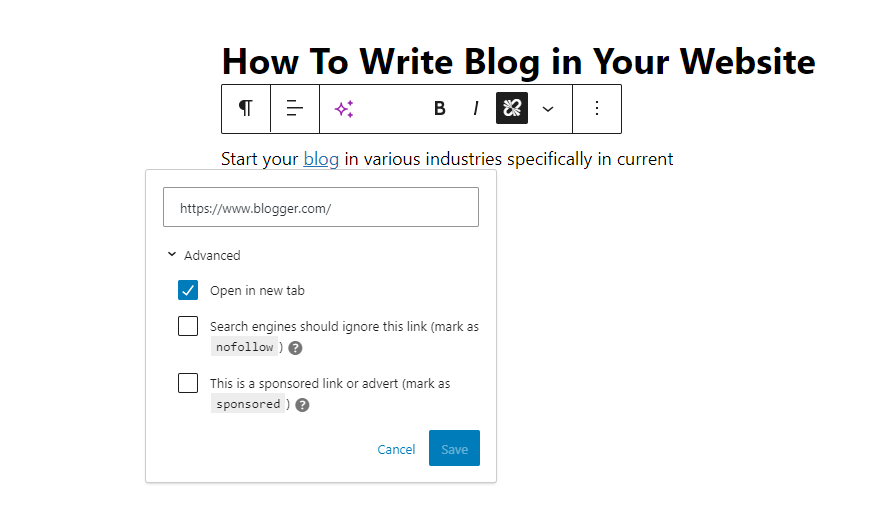
The HTML code generated by WordPress for this link looks like this:
When you add links to your WordPress website, you can use HTML elements to specify what takes place when you click them.
For example, when you create a link, there is a switch button that lets you open it in a new tab.
<a href="https://wpdruggy.com" target="_blank" rel="noreferrer noopener">external link</a>The link now has the following HTML attributes: rel=”noopener” and rel=”noreferrer”. These properties have been introduced to solve a security issue.
The concern is that JavaScript code can give a new tab control over the referring window. If you link to an external website with harmful code, that website can use the window. The opener property in JavaScript is used to modify the original web page (on your WordPress site) to steal information and spread harmful programs.
WordPress adds rel=”noopener” to prevent the new tab from using this JavaScript feature. Similarly, the rel=”noreferrer” tag stops referrer information from being passed to the new tab.
How Does rel=”noopener” Affect Your WordPress SEO?
It does not.
Even though the rel=”noopener” property increases WordPress site security, some users avoid using it because they believe it will influence WordPress SEO.
But that is only a myth.
It does not affect your site’s SEO rankings or general WordPress performance.
What’s the Difference Between “noopener” and “nofollow”?
The terms rel=”noopener” and rel=”nofollow” get frequently confused. However, they are entirely distinct properties.
The noopener property protects your website from cross-site hacking and improves WordPress security.
However, the nofollow tag bans your website from passing on SEO link juice to the linked website.
When a search engine follows a link on your website, it looks for and considers the nofollow attribute. However, they ignore the noopener tag.
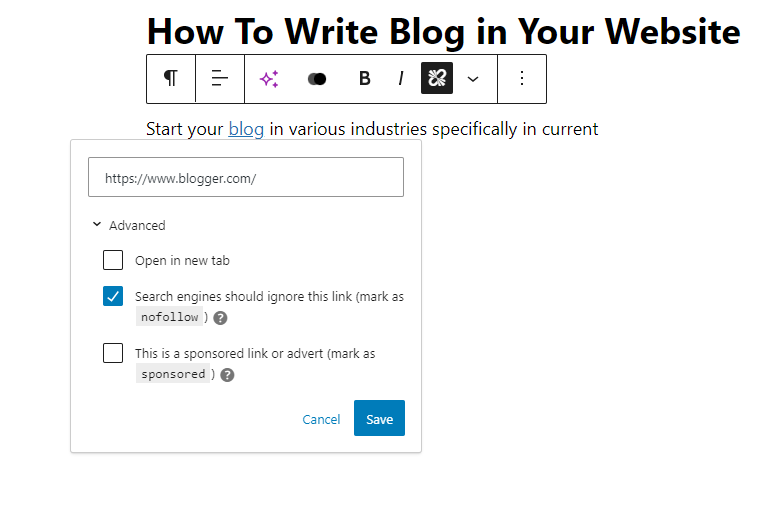
By default, WordPress does not allow you to add nofollow to external links. If you want to add nofollow to WordPress, you’ll need to install a plugin.
For more information, visit our post on how to add titles and nofollow links in WordPress.
Does rel=”noreferrer” Affect Affiliate Links in WordPress?
Affiliate links in WordPress are unaffected by the rel=”noreferrer” tag. Some users feel it does because the rel=”noreferrer” tag stops the referrer information from being passed to the new tab.
However, most affiliate networks supply you with a unique URL containing your affiliate ID. This implies that your affiliate ID is sent as a URL parameter for the other website to track.
Second, most affiliate marketers use a plugin to disguise their affiliate links.
Using link cloaking, the affiliate link that your users click on is your website’s URL, which redirects them to the target URL.
How Do You Disable rel=”noopener” in WordPress?
You do not need to remove rel=”noopener” from your website’s links. It improves the security of your website while not affecting its performance or SEO.
If you must remove it, disable the Gutenberg block editor in WordPress and switch to the standard editor.
That’s because if you manually delete rel=”noopener” from the link, the block editor will re-add it to keep your website safe.
Once the block editor is disabled, you must add a code snippet to your theme’s functions.php file via the WPCode plugin (preferred). You can learn how to use the WPCode Free Plugin in our guide on how to simply add custom code to WordPress.
Simply copy the following code to a new PHP snippet:
add_filter('tiny_mce_before_init','wpb_disable_noopener');
function wpb_disable_noopener( $mceInit ) {
    $mceInit['allow_unsafe_link_target']=true;
    return $mceInit;
}
Make sure the ‘Active’ option is turned on, then click the ‘Save Snippet’ button.
This blocks WordPress from applying rel=”noopener” to new URLs. You will also have to manually change any old links to delete the attribute.
Want to have even more control over which real properties are added to your links in WordPress? We recommend using the Yoast SEO plugin, which allows you to add title, nofollow, and other link properties directly within the WordPress editor.
Expert Guides on Using Links in WordPress
Now that you understand what rel=”noopener” implies, you might want to check out our other guides on how to use links in WordPress.
Also, Read More Relevant Blog
- WordPress Migration – The Ultimate Step-by-Step Guide for Beginners
- 11 WordPress SEO Checklist for Beginners
- How to Choose a Target Audience for Blogs and Examples
- WebP Vs PNG Vs JPEG: The Best Image Format for WordPress
- How to Avoid Keyword Stuffing & Fix Over Optimization in SEO
- Is WordPress Good for Ecommerce? Pros and Cons
- WordPress Form Does Not Work: 7 Troubleshooting Tips
- How to Display the Most Accurate Comment Count in WordPress
- How to Display Ads Only to Search Engine Visitors in WordPress
- How to Remove Default Author Profile Fields in WordPress
The Final Line
To summarize, using rel=”noopener” in WordPress is an important practice to improve security and performance when opening links in a new tab. It blocks the new page from accessing your website’s window object, protecting it from potential attackers.
It also improves performance by removing memory leaks, which cause extra overhead. As a result, using rel=”noopener” not only improves your site’s security but also promotes a more enjoyable user experience. This basic feature is a best practice that every WordPress user should follow to have a more secure and quicker website.

