Cart 0

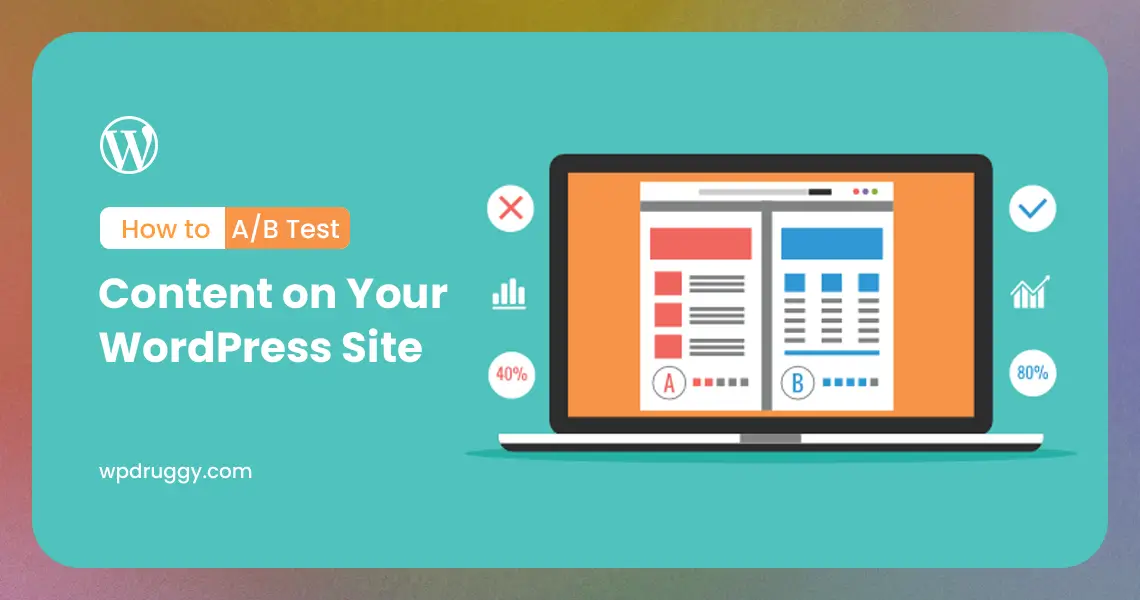

If you run a WordPress site, you know how crucial it is to deliver the right content to your audience. A/B testing is a powerful technique that allows you to compare different versions of your content and determine which one resonates best with your visitors. By implementing A/B testing, you can make data-driven decisions to optimize your website’s performance and achieve your desired goals, whether it’s increasing conversions, improving engagement, or boosting sales. In this comprehensive guide, we will walk you through the step-by-step process of conducting A/B tests on your WordPress site.
What is A/B Testing?
A/B testing, also known as split testing, is a method of comparing two or more variations of a webpage or element to see which one performs better. The process involves dividing your website’s traffic equally between the different versions, measuring their performance based on specific metrics, and then determining which version yields better results. It allows you to identify which content, design, or call-to-action prompts are more effective in achieving your objectives.
Benefits of A/B Testing
Data-Driven Decisions: A/B testing provides concrete data that helps you make informed decisions rather than relying on gut feelings or assumptions.
Improved User Experience: By testing different content variations, you can understand what resonates best with your audience, leading to a better user experience.
Higher Conversions: Optimizing your content through A/B testing can result in increased conversions, whether it’s more clicks, sign-ups, or purchases.
Reduced Bounce Rate: By identifying and rectifying elements that turn visitors away, you can decrease your bounce rate and retain more users.
Preparing for A/B Testing
1. Define Clear Objectives
Before starting any A/B tests, establish clear and measurable objectives. Determine what you want to achieve with each test. Are you trying to increase newsletter sign-ups, improve click-through rates, or enhance overall user engagement? Defining your goals will help you focus your efforts and measure the success of each test accurately.
2. Identify Key Performance Indicators (KPIs)
Choose the relevant KPIs to measure the success of your A/B tests. Depending on your objectives, KPIs could include click-through rates, conversion rates, bounce rates, or time spent on a page. Ensure that the metrics you select align with your goals to gain valuable insights.
3. Create Hypotheses
Formulate hypotheses based on your objectives and assumptions about your audience’s preferences. These hypotheses will serve as the foundation for designing the variations you want to test. For instance, if you believe that changing the call-to-action button color will increase conversions, your hypothesis could be: “Changing the CTA button color to green will lead to a higher conversion rate.”
Tools for A/B Testing on WordPress
To conduct A/B tests on your WordPress site, you’ll need the right tools. Several plugins and services are available to simplify the A/B testing process, even for users without advanced technical knowledge. Here are some popular tools:
1. Google Optimize
Google Optimize is a free and user-friendly A/B testing tool by Google. It seamlessly integrates with Google Analytics, allowing you to create experiments and track their performance using your existing Analytics account. The plugin offers a visual editor for making changes to your site without any coding.
2. Nelio A/B Testing
Nelio A/B Testing is a comprehensive A/B testing solution designed specifically for WordPress. It offers a visual editor, heatmap tracking, and advanced targeting options. While it has a free version, the premium version unlocks more features and support.
3. Optimizely
Optimizely is a powerful A/B testing platform that caters to both small businesses and large enterprises. It comes with an intuitive visual editor and allows you to create complex experiments with ease.
Conducting Your A/B Test
1. Choose What to Test
Select the element or content you want to test. It could be a headline, call-to-action button, image, layout, or any other element that you suspect might impact user behavior.
2. Create Variations
Using your chosen A/B testing tool, create multiple variations of the element you want to test. For example, if you’re testing a call-to-action button, design different button colors, text, or placement.
3. Split Traffic
Divide your website’s traffic equally among the different variations. The A/B testing tool will handle this automatically, ensuring that each visitor sees only one version.
4. Run the Test
Allow the A/B test to run for a sufficient duration to gather significant data. The duration may vary depending on your site’s traffic volume, but running the test for at least a week is often recommended.
5. Analyze the Results
Once the test is complete, analyze the data to determine which variation performed better based on your chosen KPIs. Most A/B testing tools provide statistical significance indicators to help you make data-driven decisions.
Best Practices for A/B Testing
Test One Element at a Time: To avoid ambiguity and confusion, test only one element at a time. This ensures that you can accurately attribute any changes in performance to the specific variation.
Test a Large Enough Sample Size: Ensure your test reaches statistical significance by running it with a sufficiently large sample size. Small sample sizes may lead to inconclusive or misleading results.
Be Patient: Allow your A/B test to run for an appropriate duration, even if you see immediate improvements. Impulsive decisions based on short-term data may not represent the overall user behavior accurately.
Segment Your Audience: Consider segmenting your audience based on different criteria, such as location or user behavior. This allows you to target specific groups with tailored variations.
How to A/B Test on Your WordPress Site:
1. Identify What You Want to Test: Before you start testing, you need to know what you want to improve. It could be your homepage, a blog post, a product description, or anything on your site.
2. Create Two Versions: Take the part of your site you want to test and make two different versions. For example, if you’re testing a button’s color, make one red and the other green.
3. Use an A/B Testing Tool: To do A/B testing on WordPress, you’ll need a special tool or plugin. There are many free and paid options available. Some popular ones are Optimize, Google Optimize, and Nelio A/B Testing.
4. Set Up Your Test: In your A/B testing tool, you’ll set up the test by specifying which element you want to test and which versions to use. It will help you show one version to some visitors and the other to different ones.
5. Gather Data: Let your test run for a while to collect data. You want a good amount of people to see each version to make the results reliable.
6. Analyze Results: Once you have enough data, look at the results. Which version got more clicks, sign-ups, or whatever you were testing? This is the winner.
7. Implement the Winner: Now that you know which version is better, use it on your site. This could mean changing the color of a button, rewriting a blog post, or making any other improvements you’ve tested.
Tips for Successful A/B Testing:
- Test one thing at a time. If you change too much, you won’t know what caused the difference in results.
- Be patient. A/B testing takes time to gather enough data for reliable conclusions.
- Always keep your primary audience in mind. What do they like and respond to?
Read this: Making Your WordPress Site Accessible: A Beginner’s Guide
Conclusion
A/B testing is a valuable technique that empowers WordPress site owners to optimize their content and improve user engagement, conversions, and overall website performance. By defining clear objectives, choosing relevant KPIs, and using the right A/B testing tools, you can make data-driven decisions and enhance the effectiveness of your website. Embrace A/B testing as an ongoing process, and with continuous optimization, you’ll achieve significant improvements in your WordPress site’s success.